EMRE
Software workshop · London SE17

Turn the knob. Feel the product.

EMRE Technologies designs and builds mobile apps, web products and interfaces for founders. Before anything expensive happens, you get something you can press, scroll and show to the people you are building for. Then we build it properly, in small slices you can see every fortnight.

Idea
Shape
Build
Ship

Click a dial or use the arrow keys. Each position is a real checkpoint we use.

The panel

Six things we make, wired together

Module A

Mobile apps for iOS and Android

One shared codebase where it makes sense, native modules where it matters: camera, location, notifications, offline storage. We start with the single journey your users will repeat most and make that one feel effortless before anything else is added.

React NativeSwift when neededKotlin when needed
Module B

Clickable prototypes

A tappable model of the product, built in days, tested with real people. Cheaper to change than code.

Module C

Web products

Dashboards, booking flows, member areas and internal tools that load quickly on an ordinary phone signal.

Module D

Interface design

Screens, components and a small design system your next developer can actually follow.

Module E

Publishing

App Store and Google Play listings, review replies, release notes and the paperwork in between.

Module F

Support after launch

Launch is the moment real people start finding the corners you missed. We stay on for fixes, small improvements, operating-system updates and the occasional question about why a screen behaves the way it does. Support is agreed in plain terms: what is covered, how quickly we respond within working hours, and what counts as new work. Read how support works.
Why tangible

Founders decide better with something in their hand

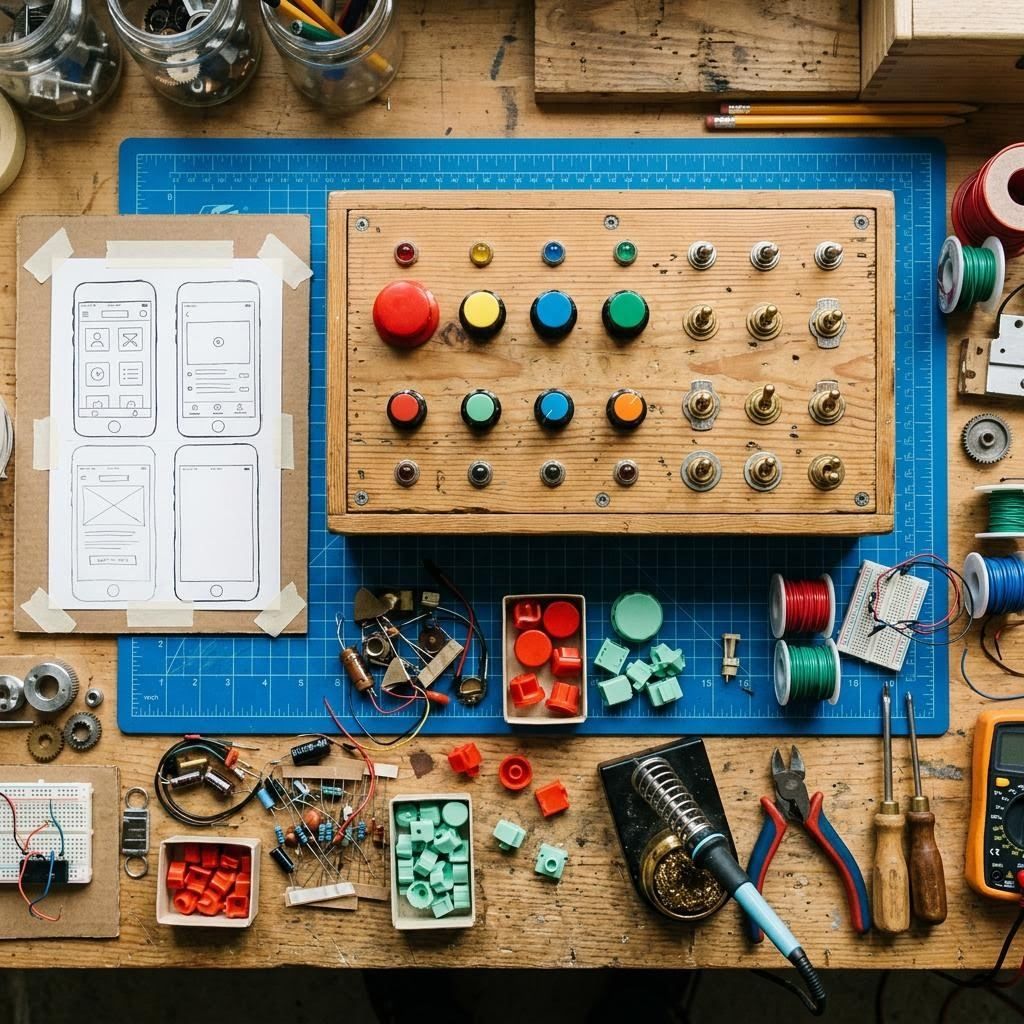
A written specification asks you to imagine. A prototype lets you notice. When a founder taps through a sign-up flow on their own phone, they spot within a minute that the third step is pointless, or that the most important button sits under their thumb in the wrong place. That minute saves weeks.

So our first deliverable is almost never a document. It is a working model, sometimes paper, sometimes clickable, sometimes a thin slice of real code, depending on what the riskiest question is. If the risk is whether people want it, we test the story. If the risk is whether it can be built, we test the hardest technical piece first.

A workbench with a hand-built control panel, coloured knobs and a paper phone prototype
Illustrative generated image of a prototyping bench, not our premises or client work.
Signal path

How an idea travels through the workshop

Five stages, each with a visible output. You can stop after any of them and keep what was made.

01 Listen

A call about who the product is for, what they do today and what would make them switch. We write it back in one page.

02 Model

Sketches, then a clickable prototype of the main journey. Tested with a handful of real people where possible.

03 Slice

The build is cut into fortnightly slices. Each ends with something installed on your phone, not a status report.

04 Release

Testing on agreed devices, store listings prepared, privacy wording checked against what the app really does.

05 Tend

Fixes, updates and small improvements on agreed response times during working hours.

Instrument 01 · Scope dial

How big is the first version?

Move the faders to describe what you imagine. The readout gives an illustrative range and a three-phase shape, so the first conversation starts from something concrete.

1
8
1
Also needs
Mobile and web

Built for the phone in a pocket on the 36 bus

Most people will meet your product on a mid-range phone with patchy signal, one hand free and about forty seconds of attention. We design for that person first. Screens load what they need and nothing more, forms remember what was typed if the connection drops, and text stays readable when someone has enlarged the system font.

On the web we favour fast, server-rendered pages with interactive pieces only where they earn their weight. For apps we choose a cross-platform approach when the product is mainly forms, lists and content, and recommend native code when the product leans heavily on the camera, sensors or background work. We explain the trade-off before you choose. More on mobile and web.

Things we check on every screen

  • Works with enlarged text and a screen reader
  • Usable with one thumb on a 6-inch phone
  • Says something helpful when the network fails
  • Keeps typed input when an error appears
  • Loads in reasonable time on a slow 4G connection
Interface

Interfaces with a clear first thing to press

Good interface design is mostly decisions about what not to show. On each screen we agree the one action that matters, give it the obvious place, and move everything else a step back. Then we test whether people find it without being told. When they do not, we change the screen rather than adding a tooltip.

You receive the screens, a component library with named states (empty, loading, error, full), and notes explaining why each pattern exists. That last part matters when another developer joins in a year and wonders whether a strange-looking choice was deliberate. See the interface approach.

Instrument 02 · Feature triage

Sort the wish list into slices

Name each feature, score its value to your users and the effort you suspect it needs. Features land in Build now, Next slice or Park for later. Scores are your judgement; the sorting rule is simple and shown on the instruments page.

Publishing support

Getting through the store gate

App review rejections are usually about missing information rather than bad code: an unclear privacy declaration, a login the reviewer cannot use, screenshots that do not match the build. We prepare the listing, the review notes and a reviewer test account, and we reply to any questions from Apple or Google on your behalf if you give us access. How publishing works.

What you keep

  • Developer accounts registered in your company name, not ours
  • Source code in a repository you own
  • Signing keys stored where you can retrieve them
  • Written notes on how to release the next version
Delivery standards

The spec sheet we hold ourselves to

Demo rhythmA working build you can install or open, every second week, with a short note of what changed and what is next.
OwnershipYour accounts, your repository, your domain. We work inside them with access you can revoke.
AccessibilityWe design and test towards WCAG 2.2 AA and tell you plainly where something falls short.
PrivacyWe collect only data the product uses and help you describe it honestly in the privacy notice and store forms.
ChangesNew ideas mid-build are welcome. We say what they displace before anything is swapped.

Read the full standards

Instrument 03 · Launch preflight

Flip the switches that are already true

Ten practical conditions we look for before a release date is worth announcing. Missing switches are not failures; they are the agenda for the next call.

Talk to the workshop

Bring the idea in whatever state it is in

Notes on a phone, a sketch on squared paper, a product that half works: all good starting points. Write to us and we reply within working hours, Monday to Friday, 09:00 to 18:00 UK time. Already working with us? Use the support desk so your request is logged.